How to Use AI for Work: A Complete Guide to Boosting Productivity and Efficiency
Artificial Intelligence (AI) is no longer a futuristic technology reserved for scientists and large corporations. Today, AI has become a practical tool that professionals, freelancers, entrepreneurs, students, and businesses use daily to improve productivity, automate repetitive tasks, and make better decisions.
Whether you work in marketing, customer service, finance, education, healthcare, software development, or administration, AI can help you complete tasks faster and more efficiently.
From writing emails and generating reports to analyzing data and managing projects, AI-powered tools are transforming the modern workplace.
In this comprehensive guide, you will learn how to use AI for work, the benefits it offers, the best applications across different industries, and practical tips for integrating AI into your daily workflow.
What Is AI in the Workplace?
Artificial Intelligence refers to computer systems designed to perform tasks that typically require human intelligence. These tasks include:
- Understanding language
- Learning from data
- Solving problems
- Recognizing patterns
- Making predictions
- Generating content
In the workplace, AI tools help employees automate tasks, improve accuracy, reduce workload, and focus on higher-value activities.
Examples include:
- AI chatbots answering customer questions
- Writing assistants creating emails and reports
- Data analysis tools identifying trends
- Scheduling assistants organizing meetings
- AI-powered search engines finding information quickly
Why AI Is Becoming Essential for Work
Businesses across the world are adopting AI because it provides significant advantages.
- Increased Productivity
- AI can complete repetitive tasks in seconds, allowing employees to focus on strategic work.
- Better Decision-Making
- AI analyzes large amounts of data quickly and identifies patterns that humans might miss.
- Cost Savings
- Automation reduces labor costs and minimizes operational inefficiencies.
- Improved Accuracy
- AI systems reduce human error in tasks such as calculations, data entry, and reporting.
- Enhanced Customer Experience
- AI-powered support systems provide faster and more consistent responses to customers.
How AI Can Help With Daily Work Tasks
Most professionals spend hours on routine activities. AI can streamline many of these responsibilities.
Writing Emails
AI writing assistants can:
- Draft emails
- Correct grammar
- Improve tone
- Summarize long conversations
Instead of spending 20 minutes writing an email, AI can generate a professional draft in seconds.
Meeting Notes
AI note-taking tools can:
- Record meetings
- Create summaries
- Identify action items
- Share meeting highlights
This ensures important details are never missed.
Calendar Management
AI scheduling assistants can:
- Organize appointments
- Find meeting times
- Send reminders
- Manage conflicts
Task Management
AI can prioritize tasks based on deadlines, urgency, and project requirements.
Using AI for Content Creation
Content creation is one of the most popular uses of AI in the workplace.
Blog Writing
AI can help:
- Generate article ideas
- Create outlines
- Draft content
- Improve readability
Writers can use AI as a productivity assistant rather than replacing human creativity.
Social Media Content
AI tools can generate:
- Captions
- Hashtags
- Content calendars
- Engagement ideas
This helps marketers maintain a consistent online presence.
Marketing Copy
AI can create:
- Product descriptions
- Ad copy
- Email campaigns
- Landing page content
Businesses can produce content faster while maintaining quality.
Using AI for Research and Information Gathering
Research often takes hours, but AI significantly reduces the time required.
Quick Summaries
AI can summarize:
- Articles
- Reports
- Research papers
- Meeting transcripts
Data Collection
AI tools can gather information from multiple sources and present it in an organized format.
Trend Analysis
AI identifies industry trends and emerging opportunities by analyzing large datasets.
Researchers, consultants, and business analysts benefit greatly from these capabilities.
Using AI for Customer Service
Customer support teams increasingly rely on AI.
AI Chatbots
Chatbots can:
- Answer common questions
- Process requests
- Provide support 24/7
- Reduce response times
Ticket Management
AI automatically categorizes support tickets and routes them to the correct department.
Sentiment Analysis
AI can detect customer emotions and prioritize urgent issues.
Benefits include:
- Faster support
- Lower operational costs
- Improved customer satisfaction
Using AI for Data Analysis
Data is one of the most valuable business assets.
AI helps organizations turn raw data into actionable insights.
Predictive Analytics
AI can forecast:
- Sales trends
- Customer behavior
- Market changes
- Inventory requirements
Automated Reporting
Instead of manually creating reports, AI generates visual dashboards and summaries.
Pattern Recognition
AI identifies relationships and trends that may not be obvious to human analysts.
This helps businesses make smarter decisions.
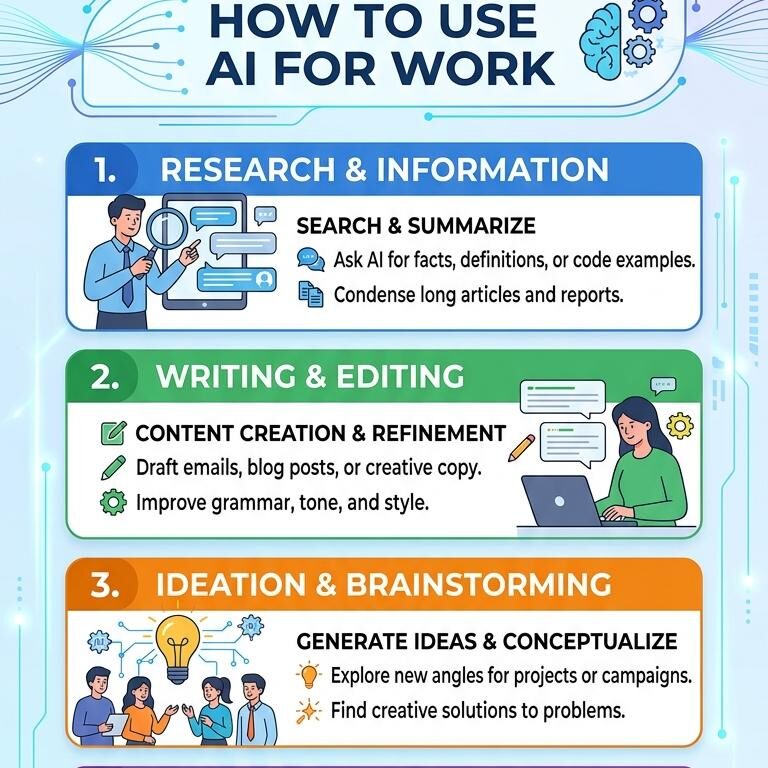
Using AI for Project Management
Project managers can use AI to improve planning and execution.
- Resource Allocation
- AI recommends the best use of available resources.
- Risk Detection
- AI can identify potential project risks before they become major problems.
- Progress Tracking
- AI monitors project milestones and alerts teams when deadlines are at risk.
- Workflow Automation
- Routine project updates and reminders can be automated, reducing administrative work.
Using AI for Human Resources
HR departments are increasingly using AI tools.
- Resume Screening
- AI quickly reviews applications and identifies qualified candidates.
- Employee Onboarding
- AI assistants guide new employees through onboarding processes.
- Performance Analysis
- AI helps managers track employee performance and identify development opportunities.
- Employee Support
- AI-powered systems answer common HR questions about policies, benefits, and procedures.
Using AI for Sales and Marketing
Sales and marketing teams can achieve significant improvements with AI.
Lead Generation
AI identifies potential customers most likely to purchase products or services.
Customer Segmentation
AI groups customers based on:
- Interests
- Demographics
- Buying behavior
- Engagement history
Personalized Marketing
AI enables highly targeted campaigns that improve conversion rates.
Sales Forecasting
AI predicts future sales trends and helps businesses plan effectively.
Best Practices for Using AI at Work
To maximize the benefits of AI, follow these best practices.
Understand AI’s Limitations
AI is powerful but not perfect.
Always review:
- Facts
- Statistics
- Recommendations
- Generated content
Human oversight remains essential.
Protect Sensitive Information
Avoid entering confidential business data into public AI tools unless company policies allow it.
Use AI as an Assistant
AI works best when supporting human expertise rather than replacing it completely.
Learn Effective Prompting
The quality of AI output depends on the instructions provided.
Clear prompts produce better results.
Example:
Instead of:
“Write a report.”
Use:
“Write a 500-word sales report summarizing Q2 performance, highlighting revenue growth and key challenges.”
Common AI Tools Used for Work
Many AI-powered tools are available today.
Writing and Communication
- ChatGPT
- Grammarly
- Jasper
Project Management
- Notion AI
- ClickUp AI
- Asana AI
Design
- Canva AI
- Adobe Firefly
Coding
- GitHub Copilot
- Cursor
Customer Service
- Zendesk AI
- Intercom AI
Data Analytics
- Power BI AI
- Tableau AI
Selecting the right tool depends on your industry and goals.
Challenges of Using AI at Work
While AI offers many advantages, organizations should be aware of potential challenges.
Data Privacy Concerns
- Improper handling of sensitive information can create security risks.
Accuracy Issues
- AI may occasionally generate incorrect information.
Employee Resistance
- Some workers fear automation may replace jobs.
Training Requirements
- Employees need proper training to use AI effectively.
- Organizations that address these concerns can achieve better results from AI adoption.
The Future of AI in the Workplace
AI will continue evolving rapidly.
Future developments may include:
- More advanced virtual assistants
- Smarter business analytics
- Enhanced automation
- Better collaboration tools
- Personalized employee experiences
Rather than replacing workers, AI is expected to augment human capabilities and create new opportunities.
Professionals who learn to work alongside AI will likely gain a competitive advantage in the job market.
Frequently Asked Questions (FAQs)
1. What is AI used for at work?
AI is used for writing, customer service, data analysis, scheduling, project management, marketing, and automating repetitive tasks.
2. Can AI improve productivity?
Yes. AI automates routine work, saves time, reduces errors, and allows employees to focus on higher-value tasks.
3. Is AI replacing jobs?
AI is changing jobs rather than completely replacing them. Many roles are evolving to include AI-assisted workflows.
4. Which industries benefit most from AI?
Industries such as healthcare, finance, marketing, education, customer service, manufacturing, and technology benefit significantly from AI.
5. Can AI write professional emails?
Yes. AI can draft, edit, and improve professional emails while maintaining appropriate tone and clarity.
6. Is AI safe for business use?
AI can be safe when organizations follow proper security practices and protect sensitive information.
7. What are the best AI tools for work?
Popular options include ChatGPT, Grammarly, Notion AI, Canva AI, GitHub Copilot, Jasper, and Power BI AI.
8. How can beginners start using AI?
Start with simple tasks such as email writing, content creation, meeting summaries, and research assistance.
9. Does AI require technical skills?
Most modern AI tools are user-friendly and require little or no coding knowledge.
10. What is the future of AI in the workplace?
The future includes smarter automation, advanced analytics, personalized work experiences, and stronger collaboration between humans and AI systems.
Conclusion
AI is transforming the way people work. From writing emails and managing projects to analyzing data and supporting customers, AI helps professionals complete tasks faster and more efficiently.
The key to success is understanding how to use AI responsibly and strategically. By combining human creativity, judgment, and expertise with AI-powered automation, individuals and organizations can increase productivity, improve decision-making, and achieve better outcomes.
Whether you are a freelancer, business owner, manager, or employee, learning how to use AI for work is becoming an essential skill for the modern workplace.