Productivity has evolved dramatically over the past few years. Traditional to-do lists and paper planners are no longer enough for professionals, students, entrepreneurs, and remote workers who juggle dozens of tasks every day.
In 2026, Artificial Intelligence has transformed daily planning by helping users organize schedules, prioritize tasks, automate workflows, and manage time more effectively.
AI daily planners go beyond simple calendar management. They analyze your workload, understand your habits, predict deadlines, suggest optimal schedules, and even help reduce stress by balancing work and personal commitments.
Whether you’re managing a business, studying for exams, leading a team, or simply trying to stay organized, an AI-powered planner can save hours every week.
In this guide, we’ll explore the seven best AI daily planners in 2026, compare their features, discuss their pros and cons, and help you choose the right solution for your needs.
Why AI Daily Planners Are Important in 2026
Before reviewing the top tools, it’s worth understanding why AI planners have become so popular.
Modern professionals face:
- Information overload
- Constant notifications
- Multiple projects
- Remote collaboration
- Tight deadlines
- Work-life balance challenges
AI planners help by:
- Automatically scheduling tasks
- Prioritizing important work
- Predicting workload bottlenecks
- Optimizing calendar availability
- Tracking productivity patterns
- Reducing decision fatigue
Instead of manually deciding what to work on next, AI systems provide intelligent recommendations based on deadlines, goals, and behavior patterns.
1. Motion
Overview
Motion remains one of the most advanced AI daily planners available in 2026. The platform combines task management, calendar scheduling, project planning, and AI-powered prioritization into a single workspace.
Unlike traditional planning tools, Motion automatically places tasks into available calendar slots and continuously adjusts schedules when priorities change.
Key Features
AI Scheduling
Motion automatically schedules tasks based on:
- Deadlines
- Importance
- Available time
- Calendar conflicts
Dynamic Replanning
If a meeting is canceled or a task takes longer than expected, Motion reorganizes your schedule automatically.
Project Management
Users can manage projects, deadlines, and team collaboration from one dashboard.
Meeting Optimization
The tool intelligently finds the best meeting times for all participants.
Pros
- Fully automated planning
- Excellent calendar integration
- Strong project management features
- Saves significant planning time
Cons
- Premium pricing
- Learning curve for beginners
Best For
Entrepreneurs, executives, consultants, and busy professionals.
2. Reclaim AI
Overview
Reclaim AI focuses on intelligent calendar management and habit scheduling. It helps users create balanced schedules while protecting focus time and personal commitments.
The platform uses machine learning to continuously optimize calendars based on changing priorities.
Key Features
Smart Habits
Automatically schedules recurring activities such as:
- Exercise
- Reading
- Meditation
- Deep work sessions
Focus Time Protection
- Reclaim blocks distractions and reserves dedicated work periods.
Flexible Scheduling
- Tasks automatically move when conflicts arise.
Team Coordination
- Great for organizations managing shared calendars.
Pros
- Excellent work-life balance support
- Smart habit scheduling
- Easy to use
- Strong Google Calendar integration
Cons
- Less powerful project management
- Some advanced features require higher plans
Best For
Remote workers, freelancers, and professionals seeking balance.
3. Sunsama
Overview
Sunsama has become one of the most loved productivity platforms because it encourages intentional daily planning rather than overwhelming users with endless task lists.
Its AI capabilities help users build realistic schedules and avoid burnout.
Key Features
- Guided Daily Planning
- Users review tasks and build a manageable daily workload.
- AI Task Suggestions
- The system recommends priorities based on deadlines and historical behavior.
- Time Estimation
- Helps estimate how long tasks will take.
Multi-Platform Integration
Connects with:
- Gmail
- Outlook
- Slack
- Trello
- Asana
- Notion
Pros
- Clean interface
- Strong focus on mindful productivity
- Easy learning curve
- Great integrations
Cons
- Less automation than Motion
- Premium pricing
Best For
Knowledge workers and professionals seeking structured planning.
4. Trevor AI
Overview
Trevor AI combines task management with intelligent calendar scheduling. It helps users turn task lists into actionable daily plans.
The platform is especially useful for people who struggle with time management.
Key Features
- AI Calendar Blocking
- Automatically assigns tasks to available calendar slots.
- Smart Prioritization
- Suggests the best order for completing tasks.
- Productivity Analytics
- Tracks task completion patterns.
- Calendar Syncing
- Works seamlessly with Google Calendar.
Pros
- Affordable
- User-friendly
- Effective scheduling
- Great for personal productivity
Cons
- Limited team collaboration
- Fewer advanced features
Best For
Students, freelancers, and individual professionals.
5. Notion AI Planner
Overview
Notion has evolved into a powerful AI productivity platform. In 2026, its AI planner capabilities make it one of the most versatile solutions available.
Users can create custom planning systems while leveraging AI for automation and recommendations.
Key Features
- AI Task Generation
- Automatically creates task lists from notes and project descriptions.
- Smart Summaries
- Converts meeting notes into action items.
- Custom Dashboards
- Build personalized planning systems.
- Knowledge Management
- Combines planning with documentation.
Pros
- Highly customizable
- Excellent AI writing tools
- Strong collaboration features
- All-in-one workspace
Cons
- Setup requires effort
- Can become complex
Best For
Teams, creators, startups, and advanced productivity users.
6. ClickUp AI
Overview
ClickUp continues to expand its AI capabilities and has become a powerful daily planning solution for teams and organizations.
Its AI assistant helps automate workflows, schedule tasks, and improve project visibility.
Key Features
- AI Task Prioritization
- Identifies high-impact work automatically.
- Workflow Automation
- Automates repetitive project management tasks.
- Smart Scheduling
- Suggests deadlines and timelines.
- Team Productivity Insights
- Provides performance analytics and recommendations.
Pros
- Extensive feature set
- Strong team collaboration
- Scalable
- Powerful automation
Cons
- Complex for beginners
- Interface can feel crowded
Best For
Growing businesses and project teams.
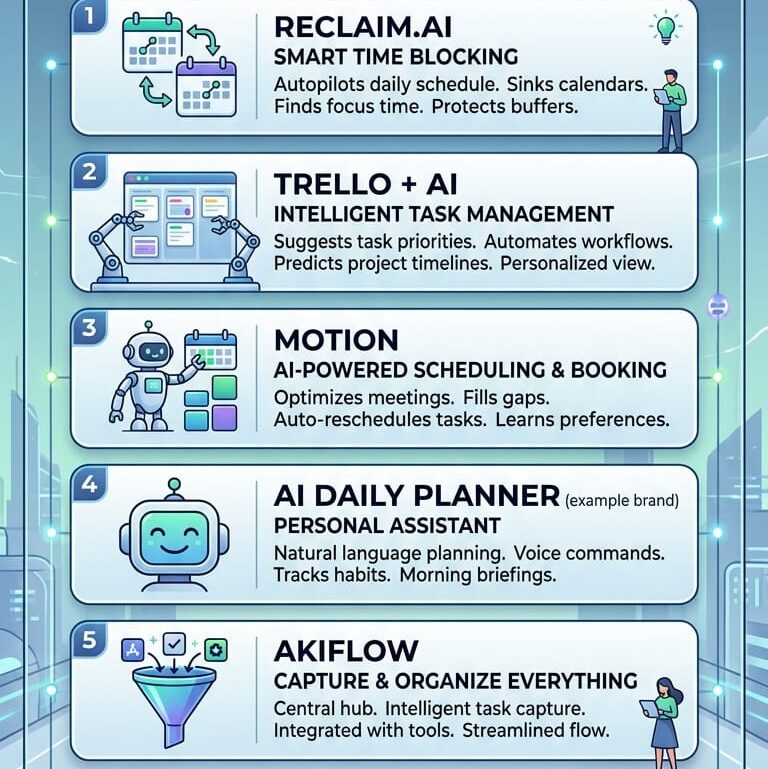
7. Akiflow
Overview
Akiflow has emerged as one of the best AI daily planners for professionals who manage tasks across multiple platforms.
The software consolidates information from numerous productivity tools into one centralized planning system.
Key Features
Universal Inbox
Collects tasks from:
- Gmail
- Slack
- Asana
- Trello
- Notion
- ClickUp
AI Scheduling
Automatically organizes tasks into available time blocks.
Fast Planning Workflow
Designed for quick daily planning.
Calendar Management
Integrates deeply with major calendar platforms.
Pros
- Excellent integrations
- Fast workflow
- Unified task management
- Great user experience
Cons
- Premium pricing
- Fewer project management features
Best For
Busy professionals managing multiple tools.
Comparison Table
| Tool | Best For | Automation Level | Team Features | Ease of Use |
| Motion | Professionals | Very High | Excellent | Medium |
| Reclaim AI | Work-life balance | High | Good | Easy |
| Sunsama | Daily planning | Medium | Good | Very Easy |
| Trevor AI | Personal productivity | Medium | Limited | Easy |
| Notion AI | Custom systems | Medium | Excellent | Medium |
| ClickUp AI | Teams | High | Excellent | Medium |
| Akiflow | Multi-tool users | High | Good | Easy |
How to Choose the Right AI Daily Planner
When selecting an AI planner, consider the following factors:
Your Work Style
If you want complete automation, Motion is ideal.
If you prefer manual control with AI guidance, Sunsama may be a better fit.
Team Size
For organizations:
- ClickUp AI
- Notion AI
- Motion
For individuals:
- Trevor AI
- Sunsama
- Reclaim AI
Budget
Some AI planners charge premium subscription fees.
Students and freelancers may prefer affordable options such as Trevor AI.
Integrations
Check compatibility with:
- Google Calendar
- Outlook
- Slack
- Asana
- Trello
- Notion
- Microsoft Teams
Automation Needs
Some users prefer full automation, while others want recommendations without losing control.
Choose a planner that matches your comfort level.
Benefits of Using an AI Daily Planner
Organizations and individuals report several benefits:
- Increased Productivity
- AI helps prioritize important tasks.
- Better Time Management
- Schedules become more realistic and achievable.
- Reduced Stress
- Less mental effort is spent deciding what to do next.
- Improved Focus
- AI planners reserve uninterrupted work periods.
- Better Work-Life Balance
- Personal activities receive the same planning attention as work commitments.
- Fewer Missed Deadlines
- Automatic reminders and scheduling improve accountability.
Future of AI Daily Planning
The future of AI planning looks even more advanced.
Emerging features include:
- Voice-controlled planning
- Predictive scheduling
- AI productivity coaching
- Emotional wellness tracking
- Context-aware recommendations
- Cross-platform automation
- Autonomous task management
Future AI assistants may eventually manage entire schedules without requiring user input while still respecting personal preferences and goals.
Frequently Asked Questions (FAQs)
1. What is an AI daily planner?
An AI daily planner is a productivity tool that uses artificial intelligence to organize schedules, prioritize tasks, automate planning, and optimize time management.
2. Are AI planners better than traditional planners?
For most users, yes. AI planners automatically adjust schedules, manage priorities, and reduce manual planning effort.
3. Which AI planner is best for professionals?
Motion is often considered one of the best options for professionals due to its advanced automation and scheduling capabilities.
4. Which AI planner is best for students?
Trevor AI and Notion AI are excellent choices for students because of their flexibility and affordability.
5. Can AI planners improve productivity?
Yes. Many users experience better organization, improved focus, and increased task completion rates.
6. Do AI planners integrate with Google Calendar?
Most leading AI planners, including Motion, Reclaim AI, Sunsama, Trevor AI, and Akiflow, integrate with Google Calendar.
7. Are AI planners suitable for teams?
Yes. ClickUp AI, Notion AI, and Motion provide strong collaboration and project management features for teams.
8. Can AI planners automatically schedule tasks?
Yes. Many modern AI planners automatically place tasks into available calendar slots and adjust schedules as priorities change.
9. Do AI planners work on mobile devices?
Most major AI planners offer mobile apps for Android and iOS, allowing users to manage schedules anywhere.
10. What is the best overall AI daily planner in 2026?
Motion is often regarded as the best overall AI daily planner due to its powerful automation, intelligent scheduling, and productivity-focused features.
Conclusion
AI daily planners have become essential productivity tools in 2026. They help users organize tasks, optimize schedules, reduce stress, and improve overall efficiency.
For fully automated planning, Motion remains one of the strongest options. Reclaim AI excels at balancing work and personal life. Sunsama offers thoughtful daily planning, while Trevor AI provides an affordable productivity solution.
Notion AI and ClickUp AI serve teams that need advanced collaboration features, and Akiflow is perfect for professionals working across multiple productivity platforms.
The best AI daily planner ultimately depends on your workflow, budget, and automation preferences. Regardless of your choice, adopting an AI planner can significantly improve productivity and help you stay focused on what matters most.