Email remains one of the most important communication channels for businesses, professionals, students, and entrepreneurs. Despite the rise of instant messaging and collaboration tools, millions of people still rely on Microsoft Outlook every day to manage communication, schedule meetings, and organize workflows.
However, handling hundreds of emails daily can be overwhelming. Reading messages, writing responses, sorting inboxes, scheduling meetings, and following up with contacts consume valuable time. This is where AI email assistants are changing the game.
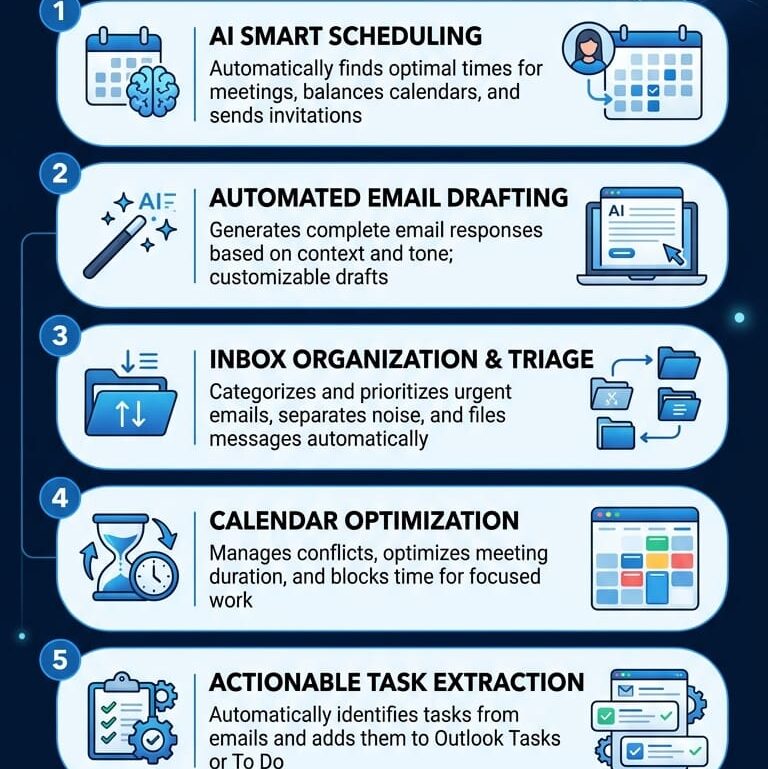
In 2026, AI-powered Outlook assistants can draft emails, summarize conversations, prioritize messages, detect important tasks, schedule meetings, and even automate repetitive communication. These tools help users save time, improve productivity, and maintain professional communication standards.
In this article, we will explore the 7 best Outlook AI email assistants for 2026, their features, benefits, pricing, and how to choose the right one for your needs.
Why Use an AI Email Assistant with Outlook?
Before diving into the tools, let’s understand why AI email assistants have become essential.
Benefits of AI Email Assistants
- Save Time
- AI can draft emails in seconds, reducing the time spent writing repetitive messages.
- Improve Writing Quality
- These tools improve grammar, tone, and clarity to make emails more professional.
- Inbox Management
- AI can categorize emails, identify priorities, and reduce inbox clutter.
- Faster Responses
- Suggested replies allow users to respond quickly without typing entire messages.
- Better Productivity
- Users can focus on important work while AI handles routine communication tasks.
- Meeting Scheduling
- Many assistants automatically coordinate schedules and create meeting invitations.
1. Microsoft Copilot for Outlook
Microsoft Copilot is the most powerful AI assistant integrated directly into the Microsoft 365 ecosystem. Since it works natively inside Outlook, users enjoy a seamless experience without needing third-party integrations.
Key Features
- AI-generated email drafts
- Email summarization
- Thread analysis
- Meeting preparation assistance
- Smart replies
- Task extraction from emails
- Calendar integration
Advantages
One of Copilot’s biggest strengths is its deep integration with Outlook, Word, Teams, Excel, and other Microsoft products. It can understand context from your organization and generate highly relevant responses.
Best For
- Enterprises
- Business professionals
- Microsoft 365 users
- Large organizations
Potential Drawbacks
- Premium pricing
- Requires Microsoft ecosystem adoption
2. Grammarly AI for Outlook
Most people know Grammarly as a grammar checker, but in 2026 it has evolved into a complete AI writing assistant.
Grammarly integrates with Outlook and helps users create professional emails with better tone, clarity, and engagement.
Key Features
- Grammar correction
- Tone detection
- AI email generation
- Email rewriting
- Professional communication suggestions
- Personalization recommendations
Advantages
Grammarly is especially useful for professionals who communicate with clients, customers, or international teams.
Best For
- Writers
- Customer support teams
- Freelancers
- Sales professionals
Potential Drawbacks
- Focuses mainly on writing improvement
- Limited inbox automation
3. Superhuman AI
Superhuman has gained popularity among executives, founders, and productivity enthusiasts.
Although originally designed as a premium email client, its AI features now work effectively alongside Outlook workflows.
Key Features
- Instant email drafting
- AI-generated replies
- Inbox prioritization
- Smart search
- Follow-up reminders
- Email summarization
Advantages
Superhuman is known for speed and efficiency. Users can process emails significantly faster compared to traditional email management methods.
Best For
- Executives
- Startup founders
- Sales teams
- Productivity-focused professionals
Potential Drawbacks
- Premium subscription cost
- Learning curve for new users
4. MailMaestro
MailMaestro has become one of the fastest-growing AI email assistants designed specifically for Outlook users.
It focuses on reducing email workload through smart automation and personalized drafting.
Key Features
- AI email writing
- One-click responses
- Email summaries
- Tone adjustment
- Multi-language support
- Meeting scheduling assistance
Advantages
MailMaestro is particularly useful for professionals who handle large email volumes daily.
Best For
- Corporate teams
- Remote workers
- Customer support agents
- Consultants
Potential Drawbacks
- Advanced features require paid plans
5. SaneBox
SaneBox uses artificial intelligence to organize your inbox automatically.
Rather than focusing solely on writing emails, it helps users regain control of overloaded inboxes.
Key Features
- Inbox filtering
- Smart folders
- Email prioritization
- Follow-up reminders
- Newsletter management
- Email cleanup tools
Advantages
SaneBox reduces distractions by moving low-priority emails away from your primary inbox.
Best For
- Busy professionals
- Managers
- Executives
- Small business owners
Potential Drawbacks
- Limited email generation features
6. Drift Email AI
Drift is widely known in sales and customer engagement industries.
Its AI email capabilities help sales professionals communicate more effectively and close deals faster.
Key Features
- AI-generated outreach emails
- Follow-up automation
- Lead engagement assistance
- Conversation tracking
- Personalized messaging
Advantages
Drift excels in sales communication by helping teams create highly personalized outreach campaigns.
Best For
- Sales representatives
- Business development teams
- Marketing agencies
Potential Drawbacks
- Not ideal for general-purpose email users
7. Spark AI Email Assistant
Spark has become one of the most popular smart email applications available.
Its AI-powered assistant helps users manage email communication while improving writing quality.
Key Features
- Smart inbox
- AI writing assistant
- Email summaries
- Team collaboration
- Shared drafts
- Priority email sorting
Advantages
Spark combines email management and collaboration features, making it ideal for teams.
Best For
- Small businesses
- Teams
- Agencies
- Collaborative work environments
Potential Drawbacks
- Some advanced features require premium plans
Comparison Table
| Tool | Best Feature | Ideal User |
| Microsoft Copilot | Deep Outlook integration | Enterprises |
| Grammarly AI | Writing improvement | Professionals |
| Superhuman | Speed and productivity | Executives |
| MailMaestro | Outlook-focused automation | Office workers |
| SaneBox | Inbox organization | Busy professionals |
| Drift AI | Sales communication | Sales teams |
| Spark AI | Team collaboration | Small businesses |
How to Choose the Right Outlook AI Email Assistant
Choosing the right AI email assistant depends on your workflow and goals.
- For Microsoft Users
- Microsoft Copilot is the best option due to its native integration.
- For Better Writing
- Grammarly AI provides excellent writing assistance and tone improvement.
- For Speed
- Superhuman is ideal for users who process hundreds of emails daily.
- For Inbox Organization
- SaneBox excels at keeping inboxes clean and organized.
- For Sales Teams
- Drift offers advanced sales communication features.
- For Team Collaboration
- Spark is one of the best collaborative email platforms.
- For General Productivity
- MailMaestro provides a balanced mix of email drafting, summaries, and automation.
Future of AI Email Assistants
The future of AI email management looks incredibly promising.
By 2026 and beyond, AI assistants will likely:
- Understand communication patterns
- Predict email responses
- Automatically schedule meetings
- Detect urgency levels
- Manage inboxes autonomously
- Provide personalized communication coaching
- Integrate deeply with workplace productivity platforms
Businesses that adopt AI email assistants early will gain significant productivity advantages.
Frequently Asked Questions (FAQs)
1. What is an Outlook AI email assistant?
An Outlook AI email assistant is software that uses artificial intelligence to help users write, organize, summarize, and manage emails within Microsoft Outlook.
2. Is Microsoft Copilot the best AI assistant for Outlook?
For most Microsoft 365 users, Microsoft Copilot is considered the most powerful option because of its deep integration with Outlook and other Microsoft applications.
3. Can AI write emails automatically?
Yes. Modern AI assistants can generate complete email drafts, suggested responses, and personalized messages based on context.
4. Are AI email assistants safe to use?
Most reputable providers implement strong security measures and comply with enterprise privacy standards, but users should always review data policies.
5. Which AI assistant is best for professional writing?
Grammarly AI is one of the best choices for improving grammar, tone, clarity, and professionalism.
6. Can AI organize my Outlook inbox?
Yes. Tools such as SaneBox and Spark can prioritize emails, filter messages, and reduce inbox clutter automatically.
7. Which AI email assistant is best for sales teams?
Drift Email AI is particularly useful for sales outreach, follow-ups, and lead engagement.
8. Do AI email assistants support multiple languages?
Many modern tools, including MailMaestro and Grammarly AI, support multiple languages and international communication.
9. Can AI summarize long email threads?
Yes. Microsoft Copilot, Superhuman, Spark, and MailMaestro can generate concise summaries of lengthy conversations.
10. Are free AI email assistants available?
Some tools offer free plans or limited free features, while advanced AI capabilities typically require paid subscriptions.
Final Thoughts
Email overload remains one of the biggest productivity challenges in modern workplaces. Fortunately, AI-powered Outlook email assistants are helping users save time, communicate more effectively, and manage their inboxes with greater efficiency.
Microsoft Copilot leads the market with its powerful Outlook integration, while Grammarly excels in writing quality. Superhuman focuses on speed, MailMaestro specializes in Outlook automation, SaneBox keeps inboxes organized, Drift empowers sales teams, and Spark enhances collaboration.
The best choice depends on your specific needs, but any of these AI assistants can dramatically improve your Outlook experience in 2026.